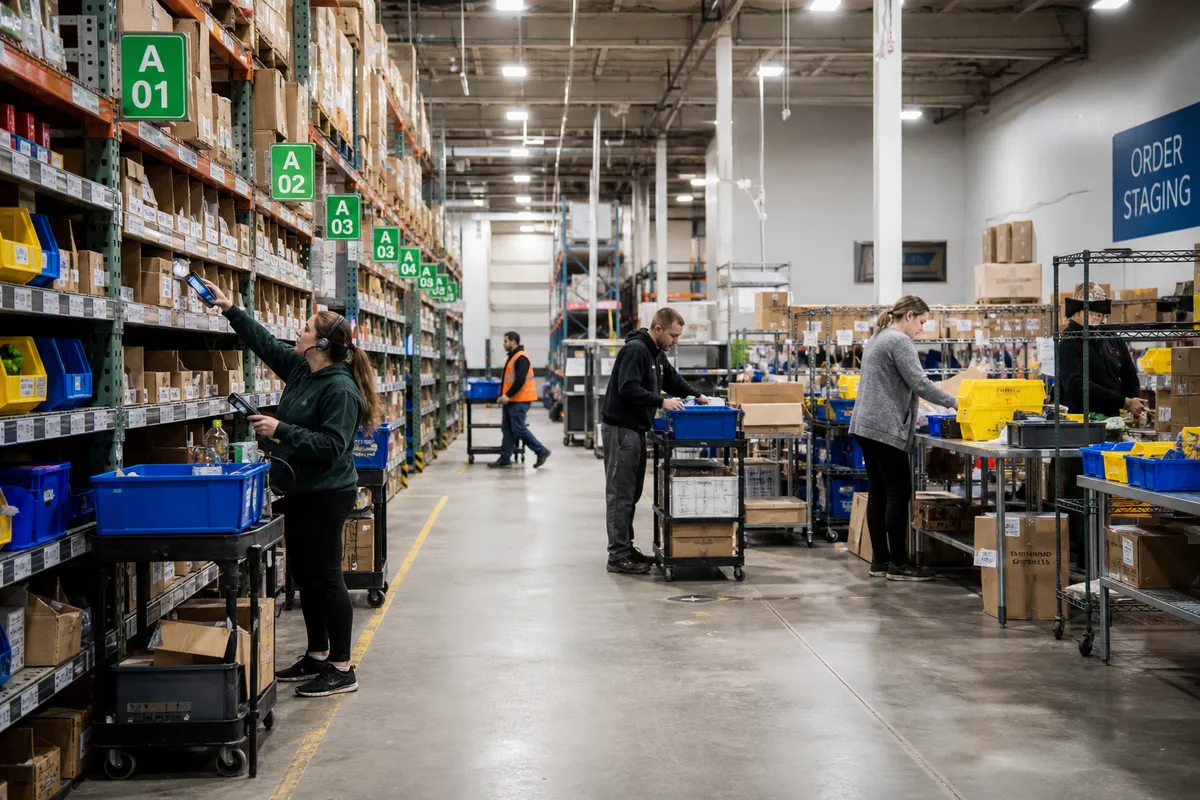
Put-to-Light for Small Warehouses: A Practical Guide
For many small warehouses, the first automation investments are usually obvious: barcode scanning, shipping software, or a warehouse management system. But there is one automation option that often deserves more attention in growing fulfillment operations: put-to-light for small warehouses.
Put-to-light is not a giant robotics project. In the right workflow, it is a focused way to speed up order sortation, reduce packing errors, and make batch picking easier to scale. If your team already picks multiple orders together and then sorts those items into individual customer orders, a put-to-light setup may solve one of the most labor-intensive steps in the building.
This guide explains where put-to-light fits, how to tell if it makes sense for a smaller operation, what a practical rollout looks like, and how to avoid the most common implementation mistakes.
What put-to-light actually does
A put-to-light system guides an operator to place items into the correct bins, cubbies, totes, or cartons using illuminated indicators and quantity displays. In a typical small-warehouse workflow, the process works like this:
- Orders are grouped into a batch.
- A picker collects the required SKUs in bulk.
- The picked items arrive at a put wall or sorting station.
- The system lights up the order locations that need each SKU.
- The operator distributes quantities to those lit locations.
- Completed orders are sent to packing or shipping.
This differs from basic scanning because the operator does not need to repeatedly read paper lists, search screens, or remember where each order belongs. The light tells them where to put, and the display tells them how many.
That matters because sortation is a high-frequency decision task. Saving even two or three seconds per order line adds up quickly across hundreds of lines per day.
Where small warehouses benefit most
Put-to-light is not a universal solution. It works best in workflows with repeated sorting activity, not in every corner of the operation.
E-commerce batch picking
This is the clearest use case. If one associate picks 20, 30, or 50 orders in one pass, the items then need to be split accurately by order. Without structure, that handoff becomes slow and error-prone. A put wall with light guidance can sharply reduce that friction.
Multi-line small parcel orders
Warehouses shipping many low-cube orders with overlapping SKUs often gain the most. Think supplements, cosmetics, apparel accessories, parts, or consumer goods where the same fast-moving items appear across many orders each day.
Store replenishment or route staging
Put-to-light can also work for replenishment programs where picked inventory must be divided among stores, vans, service technicians, or route stops. In that case, the lighted locations represent destinations rather than customer orders.
Kitting and light assembly
If your team repeatedly allocates parts into kits, put-to-light can guide operators through component distribution. This is especially useful when kit variations are similar enough to confuse manual processes.
When put-to-light usually does not make sense
Small operators should be disciplined here. Put-to-light is valuable when there is a real sortation problem to solve. It is less compelling when the workflow is simple already.
- If most orders are single-line, single-unit, direct pick-and-pack, the gain may be limited.
- If daily order volume is low and inconsistent, manual methods may be sufficient.
- If inventory accuracy is weak, put-to-light will not fix upstream data problems.
- If packing stations are the real bottleneck, sortation automation may not address the root cause.
In other words, automate the constraint, not the trend. Many warehouses buy technology because it looks efficient, then discover the delay actually lives in receiving, replenishment, or shipping label generation.
How to evaluate whether the process is a fit
Before discussing vendors or hardware, measure the current state for two weeks. The goal is to confirm whether sorting labor and sortation errors are meaningful enough to justify change.
Track these five baseline metrics
| Metric | What to measure | Why it matters |
|---|---|---|
| Orders sorted per labor hour | Total completed orders divided by sortation labor hours | Shows current productivity |
| Lines sorted per hour | Total order lines processed at consolidation/put area | Better for mixed order sizes |
| Mis-sort rate | Wrong items or quantities placed into orders | Quantifies quality loss |
| Average dwell time before packing | Minutes from batch pick completion to pack-ready status | Reveals congestion in the handoff |
| Touches per order | How often an item or order is handled before shipping | Highlights wasted motion |
As a rough operating signal, put-to-light becomes worth closer analysis when:
- Sortation consumes multiple labor hours per day.
- Order mix creates repeated consolidation work.
- Mis-sorts trigger rework, reships, or customer complaints.
- Packing stations frequently wait on order completion.
If you want a simple sanity check, calculate the cost of the current process. For example, if two associates spend a combined 5 hours daily sorting orders at a loaded labor rate of $24 per hour, that is $120 per day, or roughly $31,000 per year across 260 working days. If a new process can remove 25% to 40% of that effort while also cutting errors, the case gets more concrete very quickly.
What a right-sized put-to-light setup looks like
Small warehouses do not need a giant wall with hundreds of light modules on day one. A practical starter design is usually modest, focused, and built around actual order flow.
Start with one put wall
A common pilot is a single compact put wall with 24 to 48 locations. Each location represents an active order or tote. That is enough for many growing operations to test the workflow without redesigning the building.
Choose a constrained process
Do not launch across every order type. Start with a narrow workflow, such as:
- single-item and multi-item e-commerce orders under a certain cube,
- top 20% of high-volume SKUs,
- store replenishment orders for a fixed route group,
- subscription-box or kit assembly batches.
Keep replenishment and exceptions separate
Fast lanes work best when they stay clean. Oversize items, hazmat restrictions, fragile products, and special handling orders should usually bypass the light wall and follow a separate path.
Process design matters more than the hardware
One of the biggest mistakes small operators make is treating put-to-light as a hardware project. It is really a workflow design project with hardware attached.
Decide how orders will be batched
Your batching logic drives performance. If batches are random, the wall will never reach its potential. Group orders by shared SKUs, service level, carrier cutoff, or physical zone. The goal is to create denser picks and smoother downstream sortation.
Set clear bin completion rules
Each put location needs a status rule. For example:
- light off = no action required,
- light on with quantity = put items here,
- flashing green = order complete, move to packing,
- amber = exception or verification required.
These visual rules reduce training time and help temporary staff work accurately.
Define exception handling upfront
Missing items, short picks, damaged inventory, and canceled lines will happen. Decide in advance:
- who clears exceptions,
- where exception totes go,
- whether the order waits or partially releases,
- how the system marks incomplete locations.
If exceptions are not designed into the process, the put wall becomes cluttered and loses speed.
Operational safeguards you should not skip
Automation should support safety and process discipline, not erode it. Workstation layout, walking paths, and ergonomic reach still matter. OSHA guidance on material handling and workstation safety is a useful reference when configuring compact fulfillment areas: OSHA materials handling guidance.
Protect ergonomic reach zones
Place the highest-frequency put locations between knee and shoulder height. Reserve low and high bins for slow-moving or lightweight orders. This reduces bending, shoulder strain, and fatigue during long waves.
Keep scan verification where it matters
Light guidance improves speed, but verification still matters for high-risk workflows. Many small operations keep barcode confirmation at batch induction or at final pack verification, rather than scanning every single put. That preserves speed while protecting accuracy.
Do not overload wall capacity
If a 32-location wall constantly carries 50 active orders through workarounds, performance drops. Overflow totes on the floor, mixed status bins, and waiting orders create confusion. Capacity discipline is part of the system.
A simple pilot plan for small warehouses
The safest approach is a 60-day pilot with clear targets.
Days 1-10: Map the current workflow
- Document current batch picking and sorting steps.
- Measure baseline labor, speed, and error metrics.
- Identify the top exception types.
- Select one order segment for the pilot.
Days 11-25: Prepare the lane
- Set wall size and location count.
- Label bins clearly and create standard tote IDs.
- Define batching rules and completion signals.
- Train supervisors on exception handling.
Days 26-45: Run limited live volume
- Start with one shift or one order class.
- Compare sortation speed to the old method daily.
- Audit 25 to 50 completed orders per day for accuracy.
- Log every exception and root cause.
Days 46-60: Evaluate expansion
- Review lines per labor hour.
- Review rework and customer error rates.
- Check whether packing flow improved.
- Decide whether to add locations, expand order scope, or stop.
For broader process benchmarking and fulfillment best practices, publications like MHI can also help operators compare their plans against established warehouse practices.
Common mistakes that kill the payoff
Automating before inventory control is stable
If stock records are wrong, the wall only reveals the problem faster. Make sure receiving, location control, and pick confirmation are stable before layering on sortation automation.
Ignoring order profile data
A wall built for the wrong order mix will underperform. Use your actual line counts, SKU overlap, and shipping cutoffs to design the lane. Do not copy another warehouse’s setup blindly.
Using the wall for every order
Not every order belongs in the same flow. Direct pack-from-pick orders, oversized units, and fragile items may need a separate path. Keep the put-to-light process reserved for the profiles it handles best.
Failing to connect upstream and downstream systems
If the wall cannot reliably receive batch work and signal completion to packing, operators will create manual side processes. That erodes accuracy fast. Your software stack needs clean handoffs between inventory, order release, and shipment creation.
How software supports put-to-light success
Even a compact automation project depends on good system control. The warehouse software layer should help you:
- release work in logical batches,
- track inventory accurately by location,
- manage order status in real time,
- separate exception orders from standard flow,
- maintain visibility from picking through packing.
This is where a practical warehouse platform matters. If your team still relies on disconnected spreadsheets, paper waves, and manual packing updates, adding automation on top usually creates more complexity. A better first step is to strengthen the digital process foundation.
StockRoute is designed to help small warehouses run more controlled, visible workflows without enterprise-level overhead. You can explore the platform on our features page, compare options on pricing, or read more warehouse improvement guides on our blog.
What good results look like
A successful put-to-light rollout in a small warehouse usually does not produce dramatic robotics-style headlines. The gains are more practical:
- faster sorting at the batch-to-order handoff,
- fewer packing delays,
- lower mis-sort and short-ship rates,
- simpler training for new associates,
- more predictable throughput during daily peaks.
In many cases, the biggest win is not just raw labor reduction. It is consistency. When sortation becomes more standardized, supervisors spend less time firefighting and more time planning labor, waves, and replenishment.
Conclusion
For small warehouses, put-to-light can be one of the most practical forms of automation when the operation already depends on batch picking and multi-order sorting. It is not the right fit for every business, and it should not be used to paper over poor inventory control. But when deployed in the right process, it can remove a stubborn bottleneck without requiring a giant automation budget.
The key is to stay disciplined: measure the current process, target one constrained workflow, keep the pilot small, and design exception handling from the start. If sortation is where your labor and errors keep accumulating, put-to-light may be the next upgrade worth serious attention.
If you want the software foundation to support smarter warehouse workflows before scaling automation, take a look at StockRoute and start with a practical system built for smaller operations. Ready to see if it fits your warehouse? Try StockRoute or contact our team to discuss your operation.