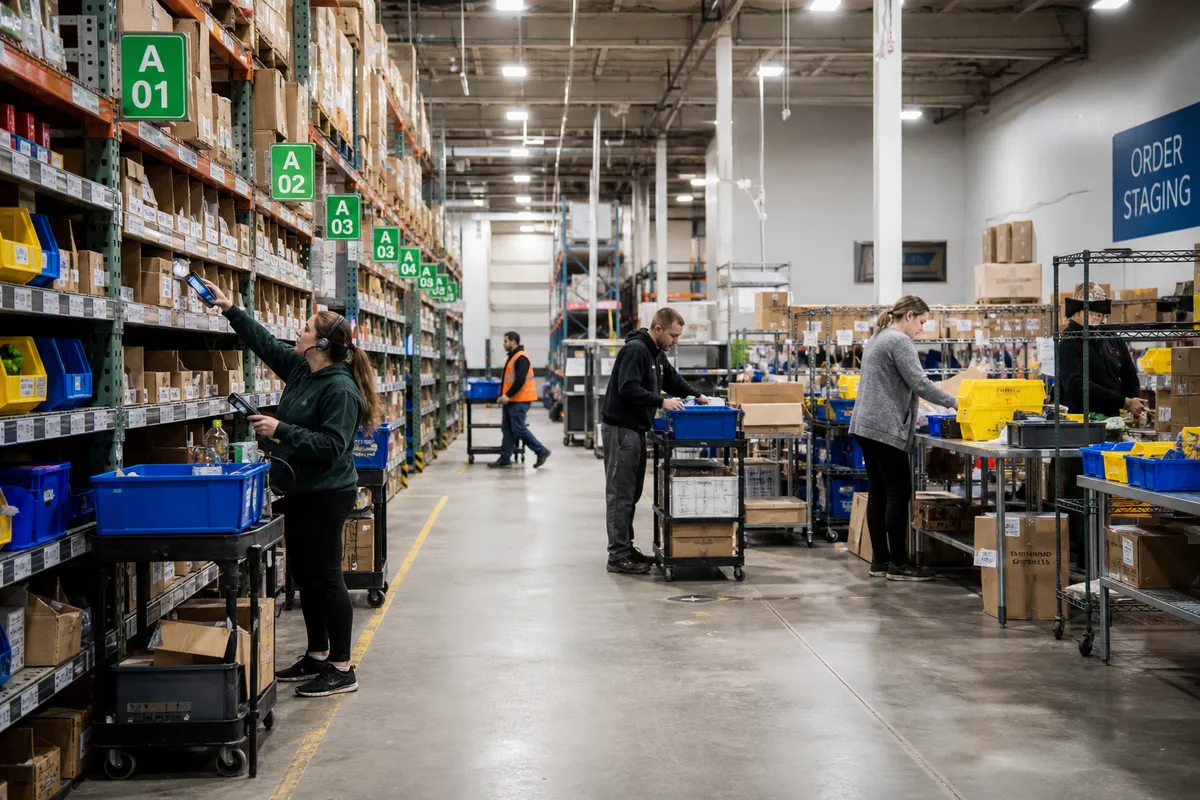
Warehouse Automation ROI for Small Warehouses
For small warehouses, automation is no longer an all-or-nothing decision. The real question is not whether automation is possible. It is whether the investment will pay back quickly enough to matter. That is why warehouse automation ROI should be the starting point for every technology decision, especially when budgets are tight and every labor hour counts.
Too many operators jump straight to tools: scanners, printers, conveyors, robots, packing systems, or a new warehouse platform. But small operations usually win by automating the right bottlenecks first, not by buying the most advanced equipment. In a 5-to-50-person warehouse, simple workflow automation often outperforms expensive hardware because it removes repetitive admin work, reduces errors, and helps the same team ship more orders.
This guide breaks down how small warehouses should evaluate automation, calculate return, and roll out projects with lower risk. If you want practical improvements instead of flashy demos, this is the framework to use.
Why ROI matters more than “innovation” in small warehouses
Large distribution centers may invest in automation to support massive scale over many years. Small warehouses need a tighter business case. Cash flow matters, labor markets are unpredictable, and most owners cannot afford a long implementation that delays daily operations.
That is why the best automation projects for small warehouses usually share three traits:
- They target a frequent task such as receiving, putaway confirmation, picking, packing, or shipping.
- They cut a measurable cost like labor minutes, rework, returns, or shipping mistakes.
- They are easy to adopt with limited training and minimal process disruption.
In practice, this means software-driven automation often produces faster returns than capital-heavy machinery. For example, automating pick verification through barcode scans may prevent mis-picks, reduce customer complaints, and cut rework within weeks. A conveyor may help too, but only if volume is already high enough to justify it.
What counts as warehouse automation for a small operation?
Automation is broader than robotics. In a small warehouse, it includes any system that reduces manual decisions, duplicate data entry, or repetitive movement.
Common automation layers
- Workflow automation: directed receiving, putaway tasks, pick lists, packing checks, replenishment prompts.
- Data capture automation: barcode scanning, mobile devices, automated inventory updates.
- Document automation: shipping labels, packing slips, carrier selection rules, ASN or order imports.
- Exception automation: alerts for stockouts, short picks, delayed orders, or count variances.
- Physical automation: conveyors, print-and-apply, dimensioning, sortation, carton sealing, or goods-to-person systems.
For most smaller operations, the first four categories usually deliver the best first-stage returns. They cost less, deploy faster, and improve control before you consider larger hardware purchases.
How to calculate warehouse automation ROI
You do not need a finance department to build a solid business case. Start with a simple formula:
ROI = (Annual financial gain - Annual automation cost) / Annual automation cost
For payback period, use:
Payback period = Total upfront cost / Monthly net savings
Step 1: Measure the current process
Choose one workflow and capture baseline numbers for at least two weeks:
- Orders processed per day
- Labor hours per task
- Error rate
- Rework time
- Overtime hours
- Shipping or return costs linked to mistakes
Example: a small warehouse ships 180 orders per day.
- Picking and packing labor: 42 hours/day
- Average loaded labor cost: $24/hour
- Mis-pick rate: 1.8%
- Average cost per order error: $18
That gives you:
- Daily labor cost: 42 × $24 = $1,008
- Daily order errors: 180 × 1.8% = 3.24 errors
- Daily error cost: 3.24 × $18 = $58.32
Total visible cost for that workflow is already over $1,066 per day, before counting supervisor time, customer dissatisfaction, and delayed replenishment.
Step 2: Estimate realistic improvement
Avoid vendor fantasy math. Instead, model moderate gains. For a barcode-led picking and packing workflow, a conservative estimate might be:
- 10% reduction in labor time
- 50% reduction in mis-picks
- 30% reduction in overtime during peak days
Using the example above:
- Labor savings: $1,008 × 10% = $100.80/day
- Error savings: $58.32 × 50% = $29.16/day
Total direct savings: about $130/day. Over 22 working days, that is roughly $2,860/month.
Step 3: Include all costs
Many small operators underestimate implementation costs. Include:
- Software subscription or license fees
- Scanners, tablets, printers, or labels
- Setup and training time
- Process documentation updates
- Temporary productivity dip during rollout
If the project costs $6,500 upfront and $450/month ongoing, the monthly net savings become:
- $2,860 gross savings - $450 monthly cost = $2,410 net savings
Payback period:
- $6,500 / $2,410 = 2.7 months
That is an excellent small-warehouse project.
The hidden gains that often matter just as much
Not every benefit shows up immediately in a labor spreadsheet. Good automation also improves operational control.
Capacity without extra headcount
If automation lets your current team ship 15% more orders before you hire, that avoids major payroll pressure. In many small warehouses, this is the biggest win.
Faster training for new staff
Directed workflows reduce the need for tribal knowledge. New employees follow scan-based prompts instead of relying on memory, handwritten notes, or constant supervisor intervention.
Better customer experience
Fewer inventory errors and late shipments mean fewer support tickets, fewer credits, and better retention. Those benefits are real even if they are harder to assign to one line item.
Improved safety and compliance
Standardized workflows reduce rushed decisions and unnecessary movement. As you review operational changes, use guidance from OSHA warehousing resources to ensure efficiency improvements do not create safety risks.
Which automation projects usually pay back fastest?
Small warehouses should rank opportunities by frequency, pain level, and implementation complexity.
| Automation project | Typical cost | Expected impact | ROI speed |
|---|---|---|---|
| Barcode scan verification | Low to medium | Lower picking and packing errors | Fast |
| Shipping label automation | Low | Less admin time, fewer carrier mistakes | Fast |
| Directed receiving and putaway | Low to medium | Better inventory accuracy, faster inbound flow | Fast |
| Automated replenishment alerts | Low | Fewer pick shortages and interruptions | Fast |
| Packing station workflow controls | Medium | Higher throughput and order accuracy | Medium-fast |
| Conveyors or sortation | Medium to high | Less walking, higher throughput at scale | Volume-dependent |
| Autonomous mobile robots | High | Travel-time reduction | Usually slower for small sites |
If you are still heavily dependent on paper, spreadsheets, and manual status checks, the highest-return move is often workflow automation through a warehouse system rather than machinery. Explore how warehouse software features can remove repetitive tasks before investing in larger equipment.
A practical 90-day rollout plan
Small warehouses do best with a phased approach. The goal is to produce a measurable win quickly, then expand.
Days 1-15: map the bottleneck
- Choose one workflow: receiving, picking, packing, or shipping.
- Document every step, handoff, and exception.
- Measure labor time, delays, and error frequency.
- Identify the top three causes of wasted time.
Days 16-30: define the target state
- Decide what should happen automatically.
- Create simple standard operating procedures.
- Set 3-5 KPIs, such as picks per hour, orders packed per hour, or scan compliance.
- Choose tools that fit current volume, not hypothetical future scale.
Days 31-60: pilot with one team or zone
- Train a small group first.
- Run parallel checks for one to two weeks.
- Track daily issues and adjust slot labels, prompts, or exceptions.
- Compare results against baseline numbers.
Days 61-90: standardize and expand
- Roll out to the rest of the operation.
- Update onboarding and training materials.
- Set weekly KPI reviews.
- Use results to prioritize the next automation step.
This phased method is especially useful for smaller operators who need improvement without disruption. You can also browse more operational advice on the StockRoute blog as you build your rollout plan.
Common mistakes that ruin automation ROI
Buying for scale you do not have yet
A system designed for a 300-person DC may burden a 12-person warehouse with complexity, training overhead, and underused features.
Automating a broken process
If locations are mislabeled, receiving is inconsistent, or pick paths make no sense, automation will expose the problem but not fix it. Clean up the basics first.
Ignoring adoption on the floor
The tool is only valuable if the team uses it correctly every day. Clear screens, simple scan steps, and practical training matter more than advanced functionality.
Leaving out exception handling
Most warehouse delays happen in exceptions: partial receipts, missing stock, damaged goods, or address problems. Any automation workflow should define exactly what happens when the ideal path breaks.
Tracking too many KPIs
Small teams should focus on a few metrics: labor hours per order, pick accuracy, order cycle time, and inventory accuracy. If you measure everything, you usually improve nothing.
How to prioritize automation when budget is limited
If your budget only allows one or two projects, use this scoring method. Rate each opportunity from 1 to 5 on:
- Frequency: how often the task occurs
- Labor impact: how much time it consumes
- Error impact: how costly mistakes are
- Ease of rollout: how quickly it can be implemented
- Data visibility: whether it improves decision-making
Add the scores and start with the highest total. In many small warehouses, the top candidates are:
- Scan-based receiving and putaway
- Pick verification
- Packing and label generation automation
- Inventory alerts and replenishment triggers
These projects usually touch every order or receipt, which is exactly why they generate strong returns.
What a strong small-warehouse automation business case looks like
Before approving any project, make sure you can answer these questions clearly:
- What exact workflow are we improving?
- What is it costing us today in labor, errors, delays, or missed capacity?
- What conservative improvement do we expect?
- How long will implementation take?
- What is the payback period?
- How will we measure success after go-live?
If you cannot answer those questions, the project is probably too vague. If you can answer them with real numbers, you have a decision-ready business case.
For benchmarking broader warehouse technology trends and adoption patterns, the MHI annual industry report is a useful external reference. But for small operators, internal process data will always be more valuable than trend headlines.
Conclusion: start smaller, measure harder, scale smarter
The best warehouse automation projects for small businesses are rarely the flashiest. They are the ones that remove routine effort, reduce preventable errors, and help a lean team handle more volume without chaos. When you lead with warehouse automation ROI, you avoid overbuying, reduce implementation risk, and focus on projects that create measurable gains fast.
Start with one bottleneck. Measure the current state. Estimate conservative savings. Pilot the change. Then expand only after the numbers prove it.
If you want a practical way to automate receiving, inventory control, and fulfillment workflows without enterprise-level complexity, take a look at StockRoute. You can review plans on our pricing page or start your trial to see how a simpler warehouse system can improve speed, accuracy, and ROI for your operation.