How Small Warehouses Can Master Cross-Docking
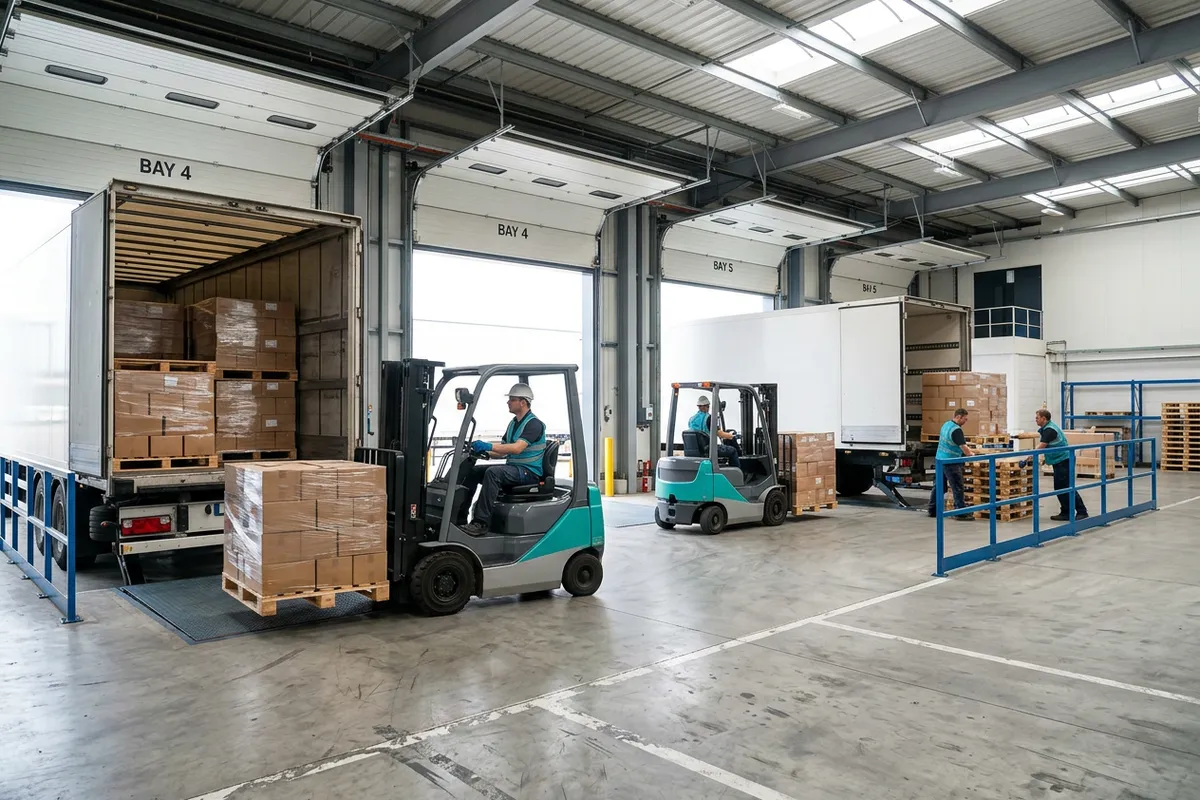
For many small warehouses, the default workflow is simple: receive inventory, put it away, pick it later, then ship it. That process works, but it also creates extra touches, extra travel, and extra storage time. If you are handling fast-moving products, replenishment orders, or pre-sold inventory, there may be a faster option.
Cross-docking for small warehouses is a practical way to reduce handling and move goods from receiving to shipping with minimal storage in between. Done well, it can shorten order cycle times, free up valuable floor space, and lower labor costs. Done poorly, it can create dock congestion and shipping mistakes.
The key is not trying to cross-dock everything. Small operations usually get the best results by applying it to the right products, the right suppliers, and the right order types. This article breaks down when cross-docking makes sense, how to set it up, and what to measure so it improves service instead of creating chaos.
What cross-docking actually means in a small operation
Cross-docking is not just “moving things quickly.” It is a specific warehouse flow where inbound product is received, verified, sorted, and transferred directly to an outbound lane, route, or order staging area rather than being stored in reserve or pick locations.
In a small warehouse, cross-docking often looks like one of these situations:
- Pre-allocated customer orders: inbound product already has open sales orders assigned to it.
- Store or branch replenishment: inbound cases are broken down and sent directly to route-specific staging lanes.
- Fast-moving SKUs: high-demand items leave the building so quickly that putaway adds no value.
- Promotional or seasonal inventory: product is time-sensitive and must move out quickly.
This approach works best when you have strong visibility into inbound receipts and outbound demand. Without that visibility, cross-docking turns into hurried manual sorting.
Why small warehouses use cross-docking
1. Fewer handling touches
Every extra touch costs labor. In a traditional flow, a pallet might be unloaded, checked in, put away, picked later, brought to packing, and then staged for shipment. Cross-docking can eliminate one or two of those steps.
If a team handles 120 cases per day and removes just one touch worth 20 to 30 seconds per case, that saves 40 to 60 labor minutes daily. Over a month, that becomes meaningful capacity for a small crew.
2. Less storage pressure
Small warehouses rarely have too much space. More often, they have too little. Cross-docking reduces how much product sits in reserve storage and helps prevent aisles and staging zones from becoming overflow areas.
3. Faster order fulfillment
If inbound product is already committed to outbound demand, sending it straight to staging can reduce dock-to-ship time dramatically. That matters for same-day shipping, route deliveries, and high-priority customer orders.
4. Lower risk on certain products
Items with expiration sensitivity, strict freshness requirements, or high damage risk often benefit from less time in storage and fewer moves. For regulated product categories, it also helps maintain cleaner product flow and traceability if the process is documented well.
When cross-docking does and does not make sense
Good candidates for cross-docking
- SKUs with consistent daily demand
- Products already assigned to open outbound orders
- Full cases or pallets that do not need repacking
- Suppliers with reliable ASN, packing, and labeling practices
- Planned transfer shipments with fixed cut-off times
Poor candidates for cross-docking
- Unpredictable inbound receipts
- Products that often arrive short or damaged
- Items requiring quality inspection, kitting, or relabeling
- Low-volume SKUs with unclear demand
- Mixed cartons that take too long to sort manually
A good rule for small operators: start with no more than 10% to 20% of inbound volume. Prove the process on the cleanest, easiest product flow first.
A simple cross-docking workflow for small warehouses
You do not need a large facility or complex automation to run a clean cross-docking process. You do need a repeatable workflow.
Step 1: Identify eligible inbound shipments before arrival
Review purchase orders, transfer orders, and expected receipts at least one day in advance. Flag the receipts that already match outbound demand. If possible, create a simple list with:
- Supplier name
- Expected arrival window
- SKU and quantity
- Assigned outbound orders or routes
- Required ship time
This step is where many small warehouses succeed or fail. If the team only decides to cross-dock after the trailer is open, the dock quickly gets cluttered with “temporary” staging.
Step 2: Reserve a dock-adjacent staging lane
Cross-dock inventory should not compete with normal receiving piles. Mark dedicated lanes near receiving and shipping so inbound goods can move through quickly. Even two clearly labeled floor lanes can be enough to start.
Use simple lane names such as:
- CD-1 Same-Day Orders
- CD-2 Route A
- CD-3 Parcel Outbound
Physical clarity matters. A small team moves faster when everyone can see exactly where cross-dock product belongs.
Step 3: Receive and verify immediately
Do not skip receiving controls just because product is moving fast. At minimum, verify SKU, quantity, visible condition, and destination. If labels are poor or quantities are inconsistent, move that receipt back into the standard process rather than forcing it through cross-docking.
Authoritative receiving and material handling guidance from OSHA is also worth reviewing when redesigning dock traffic and staging flow.
Step 4: Sort to outbound destination
As items are received, assign them directly to a customer order, route stop, or transfer lane. This can be done by pallet, case, or tote depending on your shipping pattern. The main goal is to avoid mixed staging that requires re-sorting later.
Step 5: Final outbound check
Before loading, verify that staged product matches the shipment plan. Cross-docking reduces storage time, but it should not reduce shipping accuracy. A fast final scan or line check prevents avoidable mis-shipments.
Step 6: Track exceptions separately
Any shortage, damage, missing label, or quantity mismatch should go to an exception area immediately. Do not leave problem cases inside the cross-dock lane where they create confusion for the outbound team.
Layout changes that make cross-docking easier
Most small warehouses do not need construction. They need better flow design.
Create one-way movement where possible
Try to reduce backtracking between receiving and shipping. Even if both activities happen in the same general area, clear directional flow reduces congestion and keeps pallets from being moved twice.
Separate normal receiving from fast-flow receiving
If your crew receives standard stock and cross-dock product in the same area, use visible markers to separate them. Tape lines, signs, and lane boards can go a long way without adding cost.
Protect outbound staging capacity
Cross-docking can fail when outbound staging is already overloaded. If the shipping area is constantly full, fix that first. Otherwise, inbound product simply moves from one pile to another.
The numbers to watch
If you want cross-docking to improve distribution performance, measure it explicitly. A basic spreadsheet or a warehouse system can handle this.
| Metric | What to Track | Healthy Starting Target |
|---|---|---|
| Dock-to-ship time | Time from receipt completion to shipment departure | Under 4 hours for same-day flow |
| Touches per unit | How many times product is physically handled | Reduce by 1-2 touches |
| Receiving accuracy | Correct SKU and quantity at receipt | 99%+ |
| On-time shipment rate | Shipments leaving by carrier or route cut-off | 98%+ |
| Exception rate | Cross-dock receipts moved to problem handling | Under 5% initially |
| Staging dwell time | How long product sits in cross-dock lanes | Less than 8 hours |
If dock-to-ship time improves but errors increase, the process is not actually better. Small warehouses need speed and control together.
Common mistakes small warehouses make with cross-docking
Trying to apply it to every SKU
Not everything should bypass storage. Reserve cross-docking for products with predictable demand and clean inbound data.
No appointment or arrival discipline
If trucks show up randomly, the dock becomes reactive. Even informal appointment windows can help smooth labor and staging needs. The U.S. Department of Transportation freight resources at Transportation.gov are useful context for understanding broader freight flow and bottleneck issues.
Weak supplier labeling
If cartons arrive with inconsistent item IDs or poor pallet labels, your team will spend too much time deciphering freight. Cross-docking only works when inbound identification is fast and reliable.
No exception process
Problem freight should have a clearly defined path. Without one, the team keeps stopping to ask what to do with damaged or unmatched product.
Mixing cross-dock and storage inventory
When items intended for immediate outbound movement are dropped into normal storage zones “just for now,” the benefit disappears. Cross-docking requires discipline at the floor level.
A 30-day rollout plan for a small warehouse
Week 1: Choose one product flow
Select one supplier, one route, or one set of fast-moving SKUs. Keep the scope narrow. Document the current process and baseline metrics.
Week 2: Set lanes, labels, and ownership
Mark staging lanes and assign responsibility for inbound review, receiving verification, and outbound confirmation. Make sure every shift knows the rules.
Week 3: Pilot and review exceptions daily
Run the process on live shipments. At the end of each day, review delays, shortages, and misplaced product. Most issues show up quickly in the first few days.
Week 4: Expand carefully
If the pilot is stable, add another supplier or another route. If not, fix the root causes first instead of scaling a messy process.
For many operators, the best long-term approach is a hybrid model: some inventory follows normal putaway and picking, while selected receipts flow through cross-docking. That balance usually fits the realities of a small team better than an all-or-nothing design.
How software helps control cross-docking
Small warehouses often try to manage cross-docking with whiteboards and memory. That can work at very low volume, but the process gets fragile as order counts rise. A warehouse system gives the team clearer visibility into expected receipts, allocated orders, staging status, and outbound priorities.
With the right tools, you can:
- See which inbound product is already tied to demand
- Reduce manual searching at receiving
- Assign staging lanes consistently
- Track exceptions before they become shipping delays
- Measure whether cross-docking is actually improving performance
If you are evaluating ways to tighten receiving and shipping control, explore StockRoute’s warehouse management features and browse more operational ideas on the StockRoute blog. Small teams often benefit most from simple workflows that are easy to train, monitor, and repeat.
Conclusion
Cross-docking is not just for large distribution centers. For small warehouses, it can be a smart way to speed up fulfillment, reduce unnecessary touches, and free up floor space. The biggest advantage comes from focus: choose the right SKUs, create dedicated lanes, verify freight carefully, and track the numbers that matter.
Start small, protect accuracy, and build the process around your actual order patterns. That is how cross-docking for small warehouses becomes a practical distribution strategy instead of a dock-side experiment.
If you want better visibility into receiving, staging, and outbound flow, take a look at StockRoute. You can review plans on our pricing page or start a free trial to see how a simpler WMS can support faster, more reliable warehouse operations.